 LawMatic B2 1.0.0 for Windows
Cases, deadlines and court in one window
A Windows CRM for a law practice. Cases, court monitoring, tasks, a calendar, time, documents and billing live in a local database. The same file opens in the Mac app.
Monitoring
Court cards are checked while you work the cases
LawMatic B2 watches cards on court sites and collects what changed: a hearing date, a new document, a failed check. Requests and events stay in one section.
- A summary of what needs attention, what changed, and which check failed
- An event can open the card on the court site
- Checks run in the background and do not block the case list
Practice
One desk instead of scattered spreadsheets
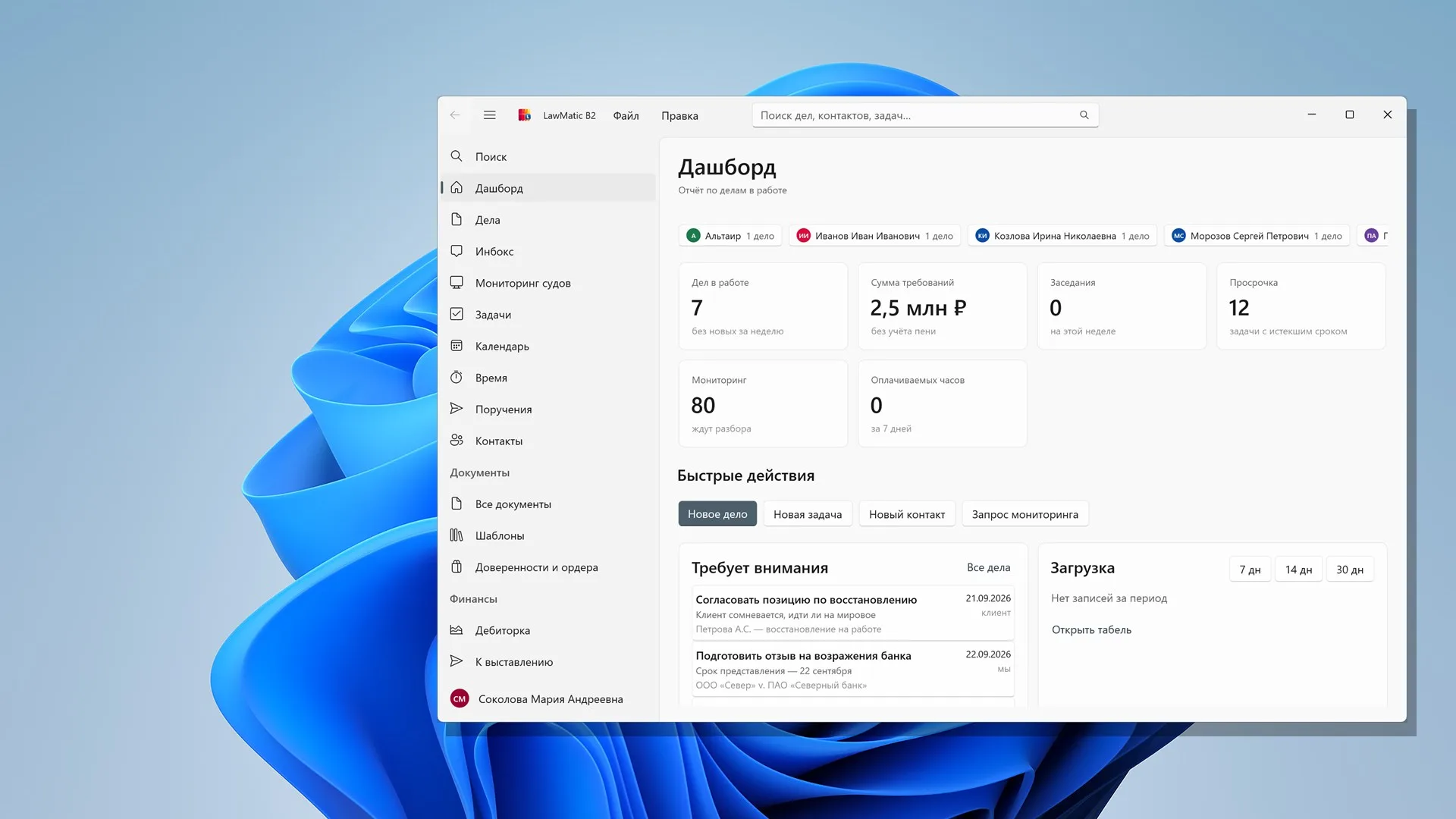
The dashboard shows open cases, the claim amount, hearings, overdue work and the monitoring queue. The same data then opens as lists: cases, tasks, calendar, time, documents and money.
See the sectionsDashboard for the open database
How many cases are open, the claim amount, hearings this week and what is overdue. The monitoring queue and the next two weeks sit beside that.
A case with its own history
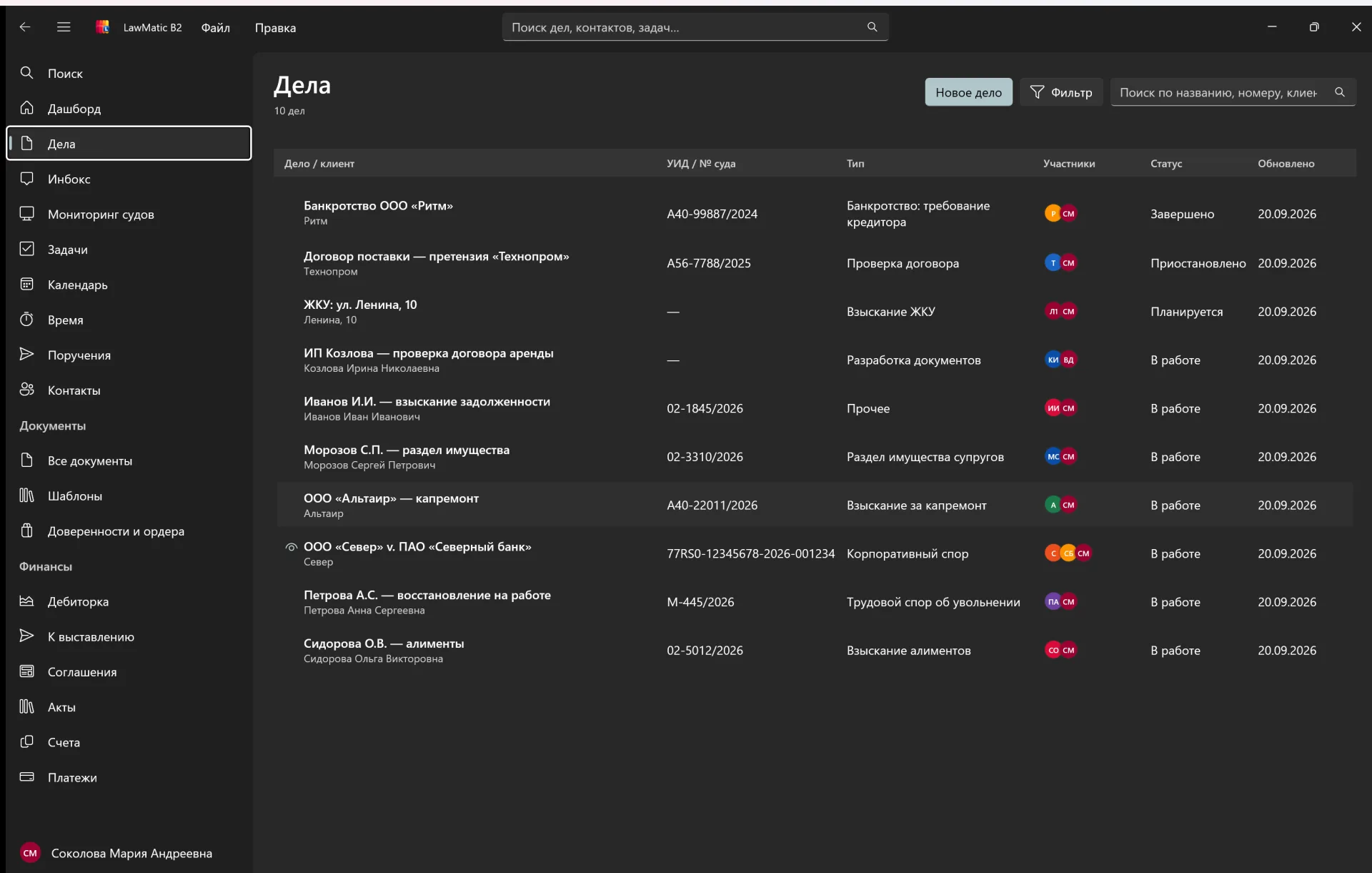
The case card gathers participants, events, tasks and the court number. The list filters by client, type and status.
A calendar of deadlines
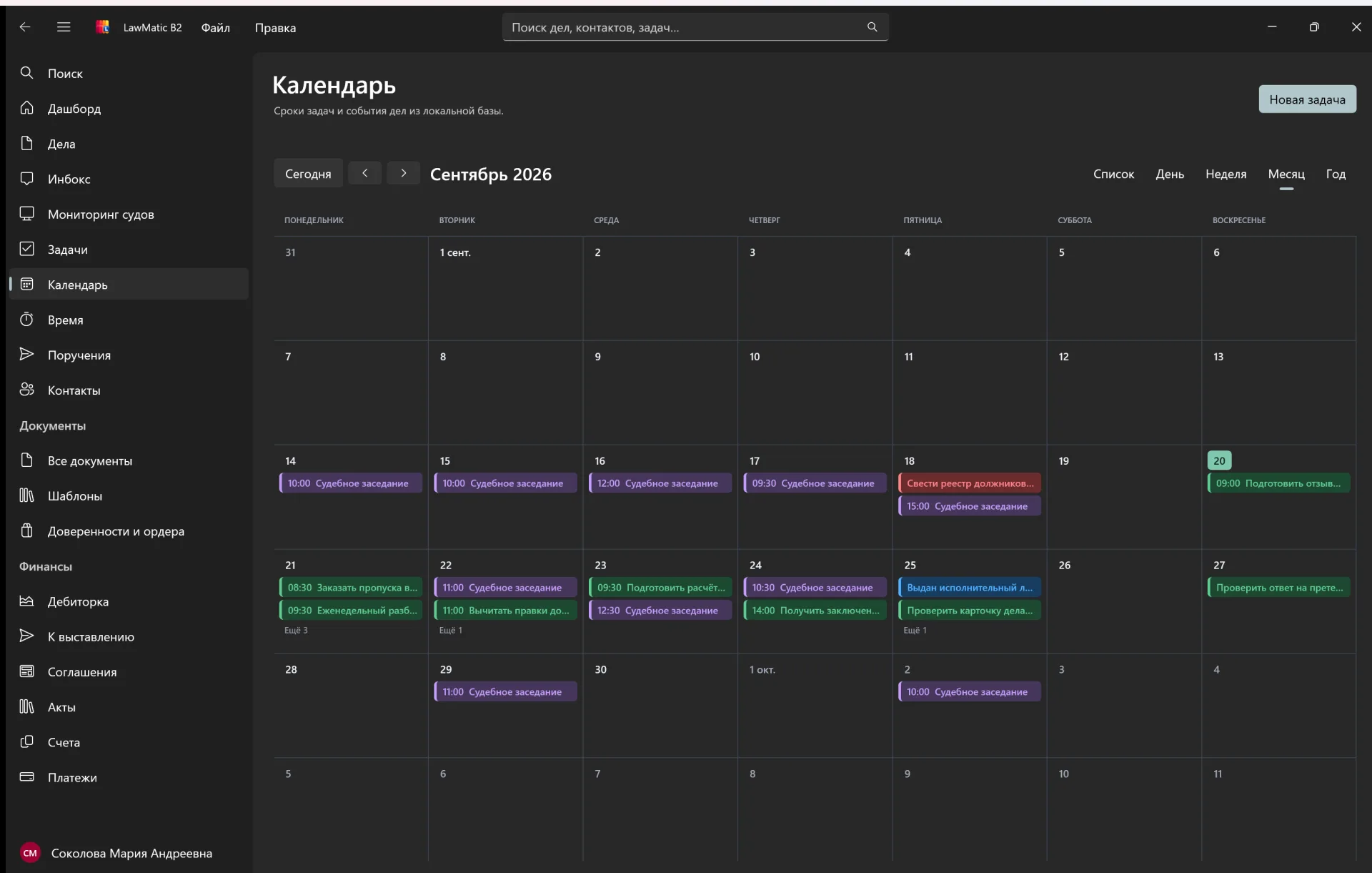
Hearings and tasks show as a month, a week, a day or a list. A new task can be added from the calendar.
Money on the cases
Agreements, invoices, acts, payments and receivables stay tied to clients and cases.
Sections
What you use through the day
The case list, the hearing calendar and tasks. Documents, time, assignments and contacts open from the same database.
Windows
A normal Windows window
The window is WinUI 3. The database is one SQLite file on this computer, with the same schema as the Mac app. A .dat file opens in place. Legalic is in the schema, but exchange is not turned on in this build.
FAQ
Things you may want to know
No. It is a normal application window. Cases, contacts and documents stay in a local database, and the Windows desktop stays as it was.
Into a database file on this computer, under LocalAppData. An account is not required. Exchange with the Legalic server is not turned on in this build.
Yes. It needs Windows 10 version 1809 (build 17763) or later, or Windows 11. There is one installer, for x64.
Yes. The schema matches the Mac app. A .dat file opens in place, and the Mac app reads it again afterwards, without a separate migration.
LawMatic B2 for Windows
Windows 10 1809 and Windows 11. One x64 installer with .NET 10 and the Windows App SDK inside. No administrator rights. The database is not deleted on uninstall.